About HelpMeJPG
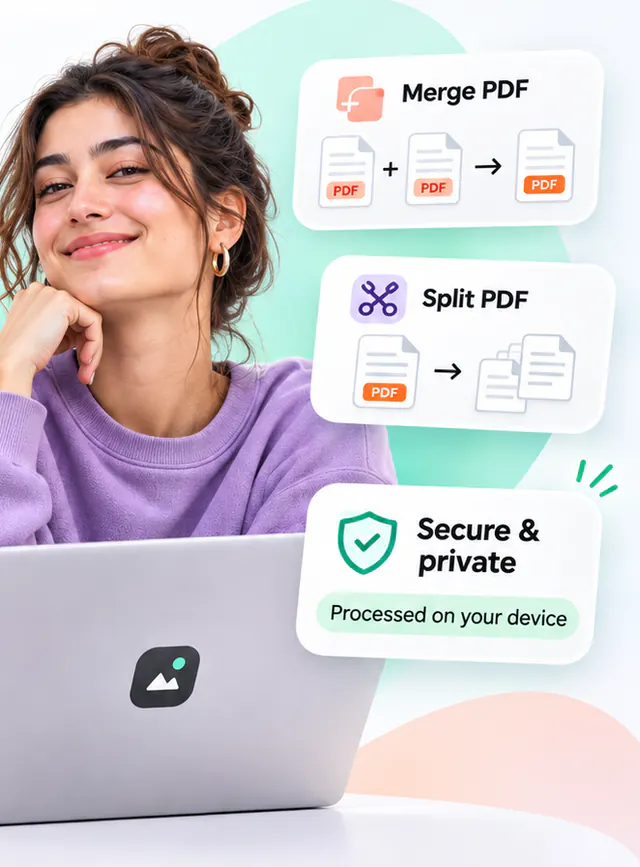
HelpMeJPG is a collection of 52 image and PDF utilities built around one rule: your file stays on your device unless you choose otherwise. Most tools use the capabilities already present in a modern browser – the Canvas API, Web Workers and WebAssembly – to compress, convert, resize, crop and inspect images, and to merge, split, compress, protect and convert PDF documents locally. A few jobs need engines that cannot run in a browser, and those use our conversion server only when you ask them to.
Why local processing
Most online image tools upload your files, process them on a server and keep them for a while. That is fast to build but it means trusting a third party with photos, screenshots and design files that may contain personal or confidential information. Local processing removes most of that question: the file itself is not sent, so there is far less to trust.
It also tends to be faster for everyday files, because a 5 MB photo does not need to travel to a data centre and back: processing starts on your device as soon as you add a file. The 49 on-device tools keep working without a connection once you have used them online; server tools and the optional server mode need a connection. You can verify this yourself in a minute; the how it works page shows how.
Three ways a tool can work
49 of 52 tools run entirely on your device. 9 of them can also use our conversion server for higher quality, only when you choose it for a file. The other 3 – OCR PDF, Repair PDF and PDF to PDF/A – need our server; files sent to it are deleted right after the result is returned.
- On your device only (40 tools). All image tools and most PDF tools. The file is read and written by your browser and is never sent anywhere.
- On your device, with an optional server mode (9 tools). PDF to Word, PDF to Excel, PDF to PowerPoint, Word to PDF, Excel to PDF, PowerPoint to PDF, Compress PDF, Protect PDF, Unlock PDF. They work in the browser by default; a separate card offers a higher-quality conversion on convert.helpmejpg.com, which runs only after you tick a confirmation and press its button for that file.
- On our server only (3 tools). OCR PDF, Repair PDF, PDF to PDF/A. These need native engines (OCR, qpdf, Ghostscript), so they are marked as server tools and ask for the same confirmation before a file is sent. The file is processed for that request and deleted once the result has been sent.
The privacy policy explains what the conversion server does with a file and what it logs.
Honest results
Compression tools often advertise impossible savings. Here every result card shows the real input size, output size and dimensions, and if a setting makes a file larger the tool says so and lets you keep the original. When a feature is not available in your browser – for example WebP encoding in some versions of Safari – the tool either uses a bundled WebAssembly encoder or explains clearly that the option is unavailable.
Built on open source
HelpMeJPG uses several open-source components: the libwebp encoder, MozJPEG and OxiPNG compiled to WebAssembly (via the jSquash project), UPNG.js for PNG palette quantisation, fflate for ZIP packaging, DOMPurify for SVG sanitisation, pdf-lib for PDF manipulation and encryption, and Mozilla's PDF.js for rendering and text extraction. Each is used under its respective licence; the full list with licence texts is on the open-source licences page.
How the site is funded
The tools are free to use and there is no paid plan. Advertising is switched off at the moment; if it is introduced, it will be clearly labelled display advertising kept away from the upload, processing and download controls, and the change will be announced in the changelog first. Analytics and advertising are switched off on this site; see the privacy policy for what that means. The files you process are never sent to any advertising or analytics provider. Read the privacy policy for details.
Who builds it
HelpMeJPG is operated by NexuxLabs.
- support@helpmejpg.com
- Website
- www.nexuxlabs.com
HelpMeJPG is designed, written and maintained by the small team at NexuxLabs. There are no outside investors, and nothing about the way the tools work is influenced by an advertiser.
How the guides are written
The guides are written by the people who build the tools, from testing real files in the tools themselves. Each guide names its sources, carries a published and last-reviewed date, and is re-checked when the tool it describes changes. We do not accept paid placements or sponsored articles, and we correct mistakes when readers point them out – use the contact page to do so.
Policies and how to reach us
- Contact – support email, what to include and how quickly we reply.
- Security and responsible disclosure – how to report a vulnerability, scope and safe harbour.
- Accessibility statement – our WCAG 2.2 AA target and known issues.
- Privacy policy, cookie policy and terms of use.
- Changelog – product releases and every policy revision.
- Open-source licences – the components this site is built on.